平台后端开发
霍格沃兹测试开发学社
ceshiren.com
自我介绍
- 江湖代号:老钱 。
- 互联网行业工作时间10年:2年开发,8年测试;涉及后端开发,测试工具开发,运维,自动化测试,测试管理等工作,目前在一家互联网金融公司担任测试开发工程师。
- 职业信条:懂开发的测试特别受欢迎 。
直播前准备
| 专题课 | 阶段 | 形式 | 章节 |
|---|---|---|---|
| 基本开发 | L1 | Spring Boot 介绍与项目搭建 | Spring Boot 项目创建 |
| 基本开发 | L1 | Spring Boot 项目启动 | 创建启动类,编写 controller |
| 基本开发 | L1 | Spring Boot 指定端口号 | 配置文件修改端口号 |
| 基本开发 | L1 | Spring Boot 发送 GET 请求 | GET 请求参数,URI 参数,Required关键字等 |
| 基本开发 | L1 | Spring Boot 发送 POST 请求 | POST 请求request body payload (json) |
| 后端路由 | L2 | SpringBoot 高级注解 | @Service @Autowired 等 |
| 后端路由 | L2 | Swagger 生成 API | 使用 swagger |
直播前准备
| 专题课 | 阶段 | 形式 | 章节 |
|---|---|---|---|
| 后端路由 | L2 | Spring Boot 返回结果 | 返回结果模版定义 |
| 后端路由 | L2 | Spring Boot 异常处理 | Handler 拦截自定义异常信息 |
| 后端路由 | L2 | Spring Boot 跨域 | 处理跨域问题 |
| 数据库连接 | L3 | JDBC 数据库连接 | 使用 JDBC 进行数据库连接 |
| 数据库连接 | L3 | MyBatis 介绍 | 了解入门 MyBatis |
| 数据库连接 | L3 | MyBatis 增删改查实战 | MyBatis 基本的增删改查 |
| 数据库连接 | L3 | 数据与实体类属性对应 | resultMap 属性标签使用 |
| 后端优化 | L4 | 自动生成数据库 | 使用 MyBatis Generator 插件自动生成代码 |
| 后端优化 | L4 | 增删改查实战进阶 | @Mapper、@Mappings、@Mapping |
课程安排
- Spring-boot后端项目概述
- 实战:创建spring-boot项目
- 实战:Spring-boot接口请求
- 实战:Swagger接口文档API
- 课后作业
1. Spring-boot后端项目概述
前后端分离的项目架构
- 前后端开发工作解耦
- 提升开发效率
- 更容易优化性能资源
- 一个后端可以服务多种前端
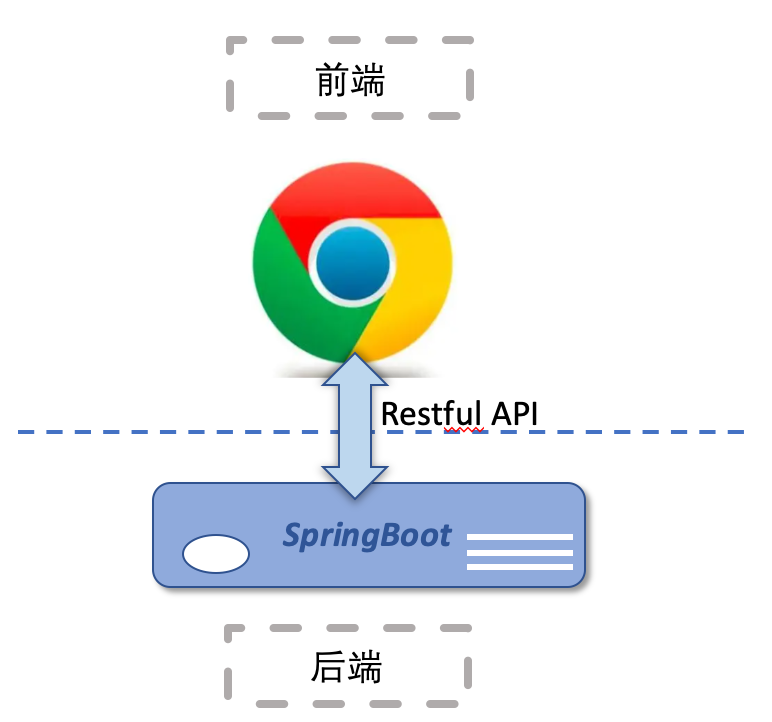
Spring-Boot 架构
- 在Spring基础上构建起来的架构
- 解决Spring开发需要繁复配置的痛点
- 无需部署Web容器,可以通过run命令直接启动
- 入门学习曲线低
课程安排
-
Spring-boot后端项目概述
- 实战:创建spring-boot项目
- 实战:Spring-boot接口请求
- 实战:Swagger接口文档API
- 课后作业
2. 实战:创建spring-boot项目
创建spring-boot项目
- 创建基础Maven结构项目
- 添加SpringBoot关键基础元素 - SpringBoot配置文件: application.properties - SpringBoot的父module: parent - SpringBoot依赖: spring-boot-starter-web - SpringBoot入口启动函数: SpringApplication.run()
创建spring-boot项目
- SpringBoot配置文件 -> application.properties
- 位置: main/resources
#  SpringBoot Settings
spring.application.name=springboot
server.port=8080
创建spring-boot项目
- SpringBoot的父module
- 在pom.xml中添加代码
<parent>
    <groupId>org.springframework.boot</groupId>
    <artifactId>spring-boot-starter-parent</artifactId>
    <version>2.3.7.RELEASE</version>
</parent>
创建spring-boot项目
- 添加 SpringBoot依赖
- 在pom.xml中添加依赖
<dependency>
    <groupId>org.springframework.boot</groupId>
    <artifactId>spring-boot-starter-web</artifactId>
</dependency>
创建spring-boot项目
- 新建SpringbootApplication.java类
- 添加 SpringBoot启动main函数
- 添加运行函数
SpringApplication.run(SpringbootApplication.class, args);
运行spring-boot项目
- 启动基础Spring-boot项目
- 空项目
- 从Console确定程序运行成功
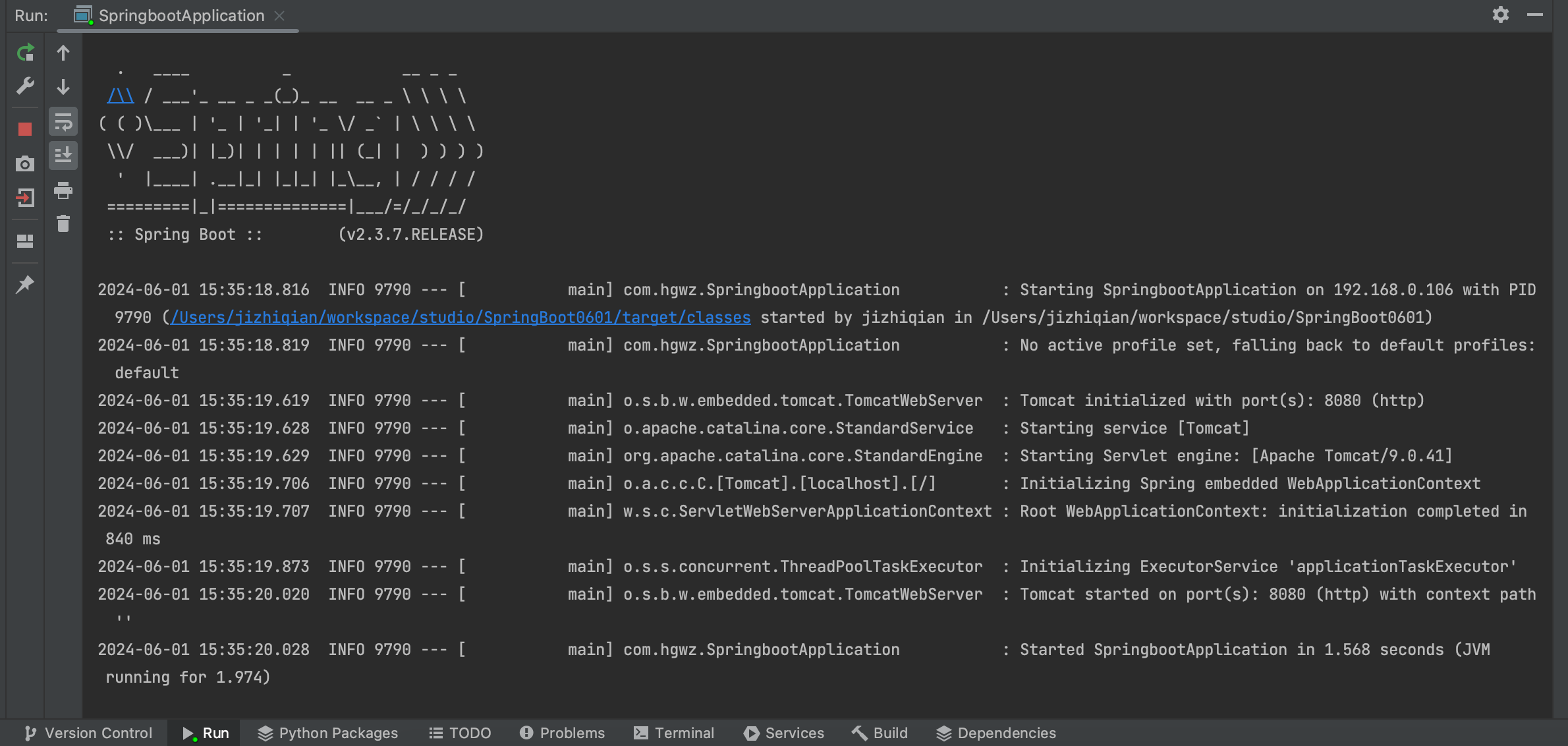 - Demo: 实战演练
添加基础映射函数
- 注解@RestController:适用于构建 RESTful 风格的 API
- 注解@RequestMapping:将请求和处理请求的控制器方法关联起来,建立映射关系。
- 注解@GetMapping:用于开发spring-boot Http Get 请求接口
- 添加运行函数,输出调试语句
添加基础映射函数
- 运行SpringBoot程序,检验基础接口功能
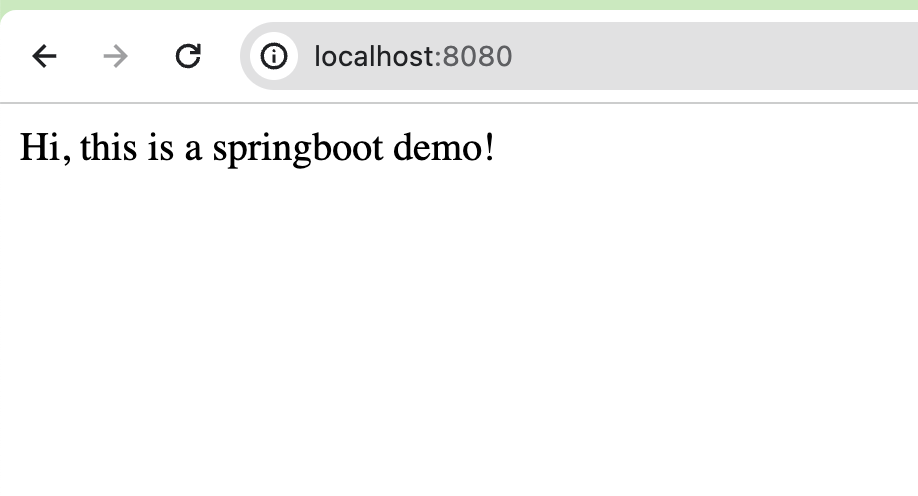 - Demo: 实战演练
本章小结
- Spring-boot项目组成基础元素
- @RestController
- @RequestMapping
- @GetMapping
- 项目运行端口配置
课程安排
-
Spring-boot后端项目概述
-
实战:创建spring-boot项目
- 实战:Spring-boot接口请求
- 实战:Swagger接口文档API
- 课后作业
3. 实战:Spring-boot接口请求
Restful API 接口请求
- 通过一套统一的接口为所有客户端提供web服务,实现前后端分离
- 支持多语言开发,数据交互以标准的接口来协同工作
- 常见方法:Get, Post, Put, Delete, Patch, Options, 等 ...
接口工具 - PostMan
- 是一款功能超级强大的用于发送 HTTP 请求的接口工具
- 可以用于Restful API 接口调试、测试
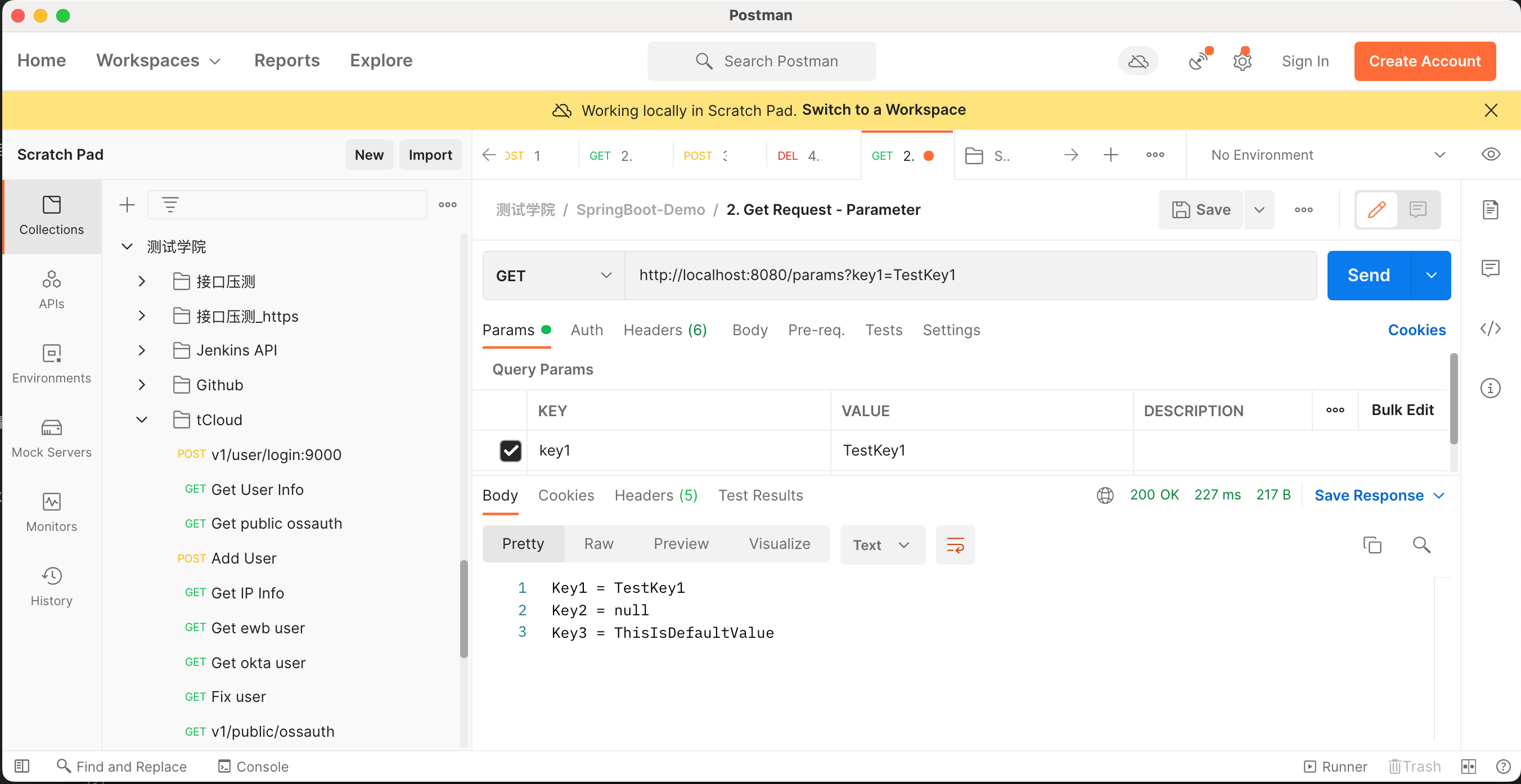
Spring-boot Http Get 请求 - 字符串参数
- Get 请求: 请求指定的页面信息,并返回实体主体。
- 映射路径配置
- @RequestParam 参数配置
- defaultValue 默认值
- required 是否必传参数
- Demo: 实战演练
Spring-boot Http Get 请求 - 路径参数
- 映射路径配置
- @PathVariable
- Demo: 实战演练
Spring-boot Http Post 请求
- 映射路径配置
- Request Body
- @Data
- @PostMapping
- @RequestBody
- @Valid
Spring-boot Http Post 请求
- 单独定义Request Payload参数
@Data public class ReqBody implements Serializable { @NotEmpty(message = "参数不能为空") private String param1; @NotEmpty(message = "参数不能为空") private String param2; } - Demo: 实战演练
Spring-boot Http Delete 请求
- 映射路径配置
- @DeleteMapping
- Demo: 实战演练
接口调试中的一些常见错误
- 400错误: 通常表示客户端发送的请求有语法错误或参数问题,导致服务器无法理解。
- 原因判定:接口传参错误
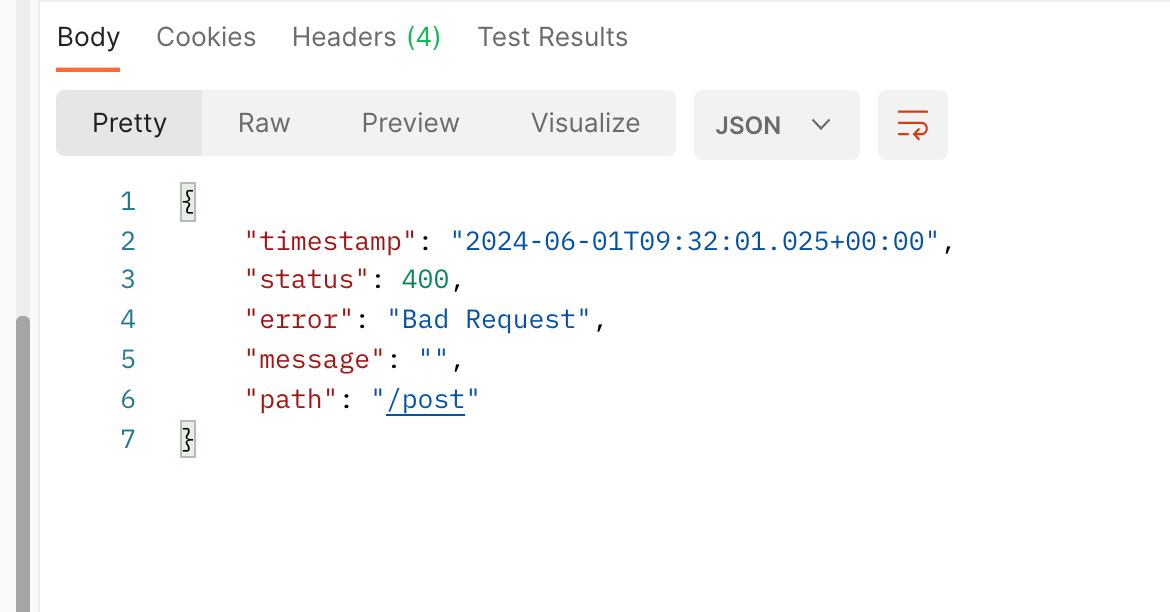
接口调试中的一些常见错误
- 405错误:方法不允许
- 原因判定:接口方法设错了,比如Get方法设成了 Post
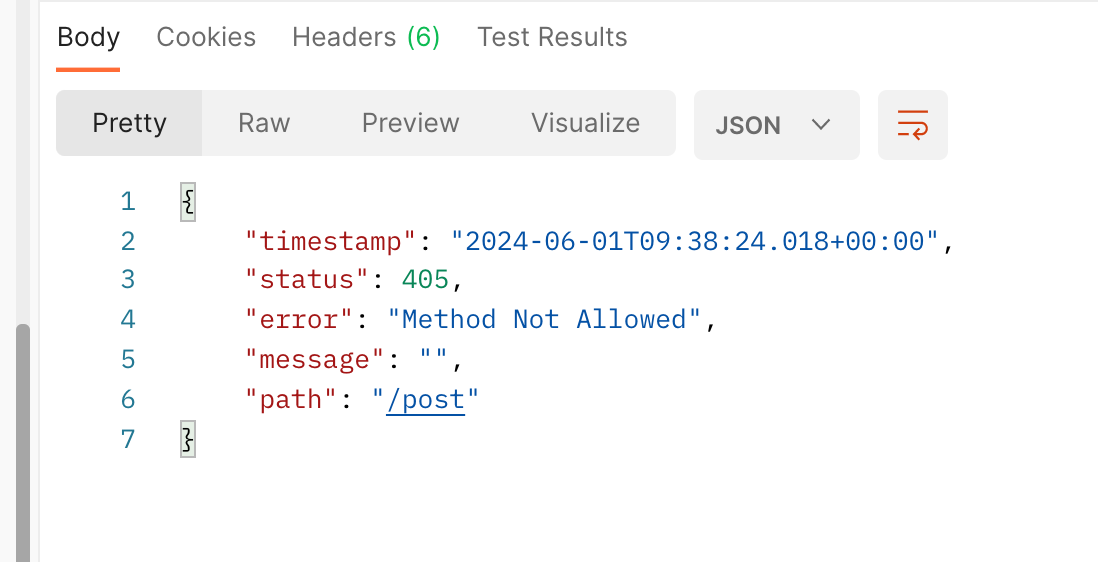
接口调试中的一些常见错误
- 500错误:Server端报错了
- 原因判定:接口对应的Server端方法在运行的时候出错了
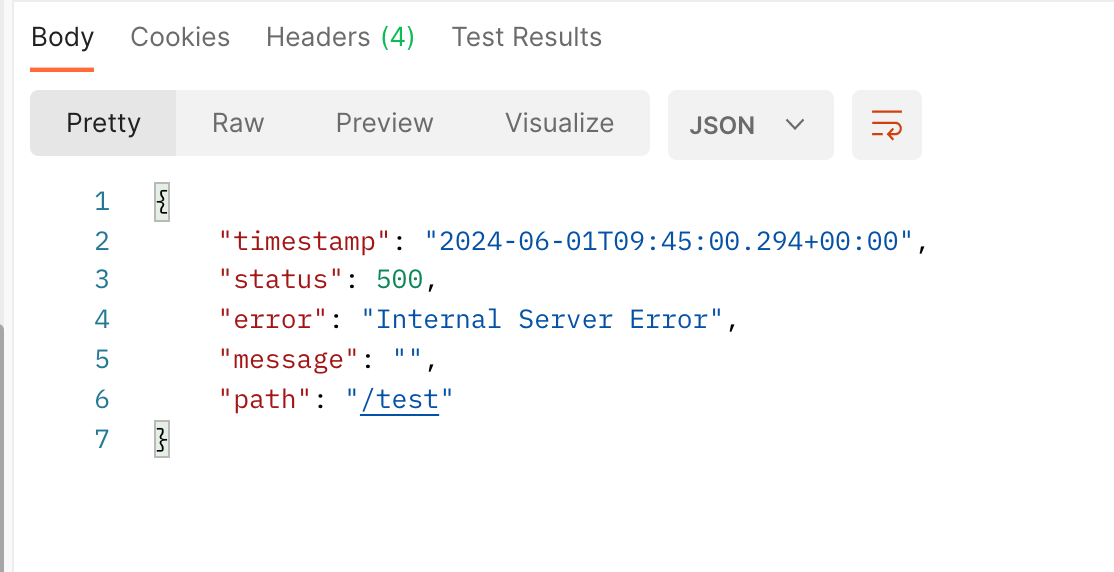
本章小结
- Spring-Boot Restful API 接口常见功能
- Get, Post, Delete接口
- 接口常见错误
课程安排
-
Spring-boot后端项目概述
-
实战:创建spring-boot项目
-
实战:Spring-boot接口请求
- 实战:Swagger接口文档API
- 课后作业
4. 实战:Swagger接口文档API
Swagger API
- 接口文档对于沟通团队开发的重要性不言而喻,方便前端、后端、测试等技术同学准确领悟接口功能设计含义
- 创建、更新接口文档往往又是研发同学所不喜欢的事情
- Swagger是一款RESTFUL接口的文档在线自动生成库,兼具接口测试功能
- 图形化界面自动生成
- 减少研发人员写接口文档的工作时间
Spring-boot 启用 Swagger
- 添加 Dependency
<dependency>
    <groupId>io.springfox</groupId>
    <artifactId>springfox-swagger2</artifactId>
    <version>2.8.0</version>
</dependency>
<dependency>
    <groupId>io.springfox</groupId>
    <artifactId>springfox-swagger-ui</artifactId>
    <version>2.8.0</version>
</dependency>
Spring-boot 启用 Swagger
- 添加 Swagger 启动代码
@Bean
public Docket api() {
    List<Parameter> swaggerParams = new ArrayList<Parameter>();

    return new Docket(DocumentationType.SWAGGER_2)
            .apiInfo(apiInfo())
            .select()
            .apis(RequestHandlerSelectors.basePackage("com.hgwz.api"))// 修改为自己的 controller 包路径
            .paths(PathSelectors.any())
            .build()
            .globalOperationParameters(swaggerParams);
}

private ApiInfo apiInfo() {
    return new ApiInfoBuilder()
            .title("SpringBoot练习项目接口文档")
            .description("swagger接口文档")
            .version("2.0")
            .build();
}
Spring-boot 启用 Swagger
- 尝试访问Swagger UI 界面
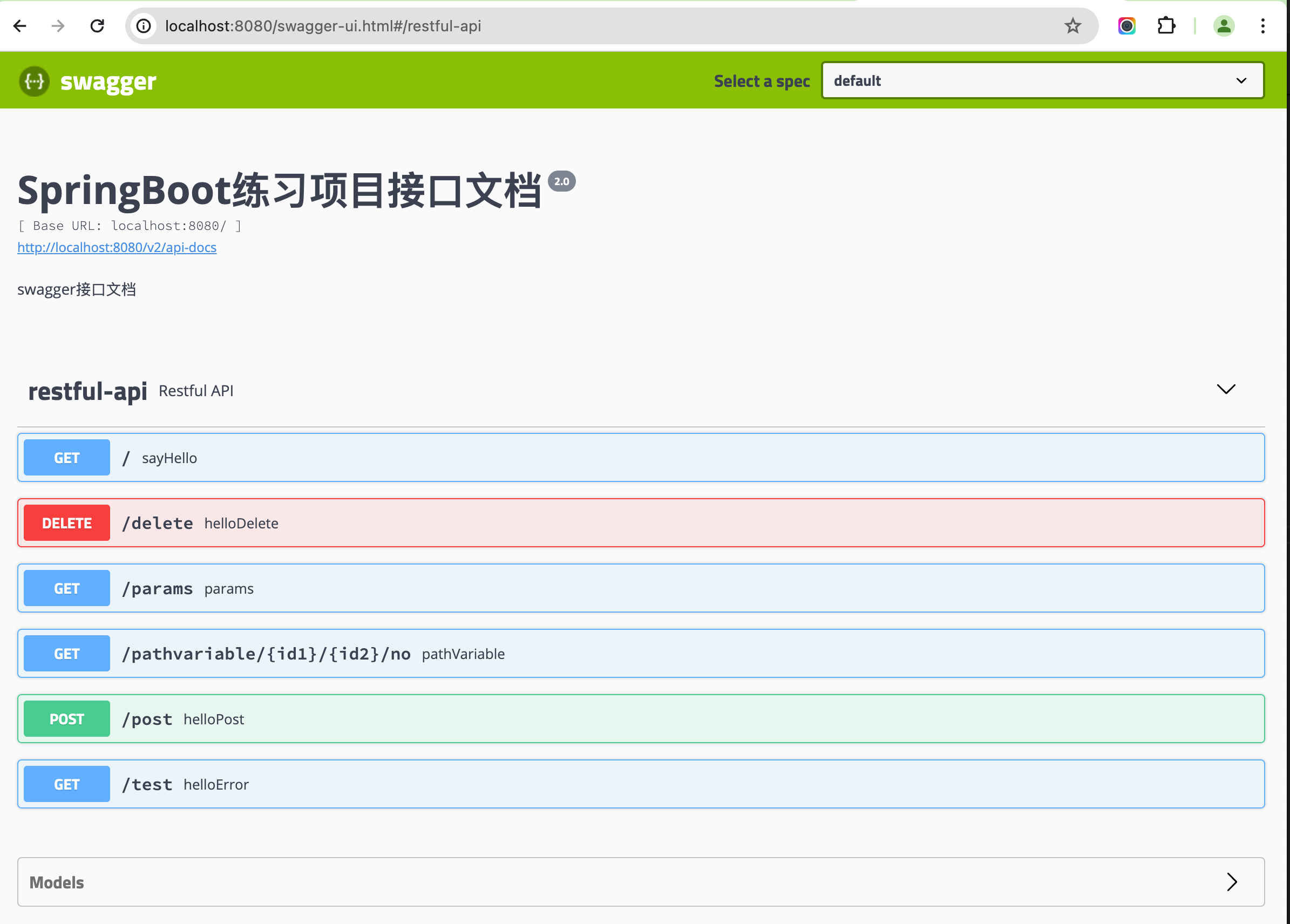
Spring-boot 启用 Swagger
- 为项目添加Swagger API 接口文档
- Demo: 实战演练
本章小结
- 接口文档的重要性
- Swagger 接口文档生成的优势
- 利用Swagger 生成接口文档
课程安排
-
Spring-boot后端项目概述
-
实战:创建spring-boot项目
-
实战:Spring-boot接口请求
-
实战:Swagger接口文档API
- 课后作业
5. 课后作业
课后作业
- 创建Spring-boot项目
- 为Spring boot 项目添加 Get, Post, Delete接口请求功能
- 为Spring boot 项目添加 Swagger API 文档
- 课堂使用练习项目源码 https://gitee.com/11547299/spring-boot-project
课程安排
-
Spring-boot后端项目概述
-
实战:创建spring-boot项目
-
实战:Spring-boot接口请求
-
实战:Swagger接口文档API
-
课后作业
课程总结
- 前后端分离
- Restful API 接口
- Spring-boot 接口请求的开发技巧
- Swagger API 接口文档自动生成插件